Uploading files
Upload an inventory, an application portfolio or a CMDB export as a file, and Eraser builds a model from it – no connection needed.
Uploading
- Open Settings → Data Sources and choose File upload (under Add connection once you have a data source).
- Pick a format – JSON, CSV, Excel, YAML or XML – and the file, up to 10 MB. CSV takes up to 20 files, one per kind of thing, read together as one model.
- The Models page opens, and a notification shows progress.
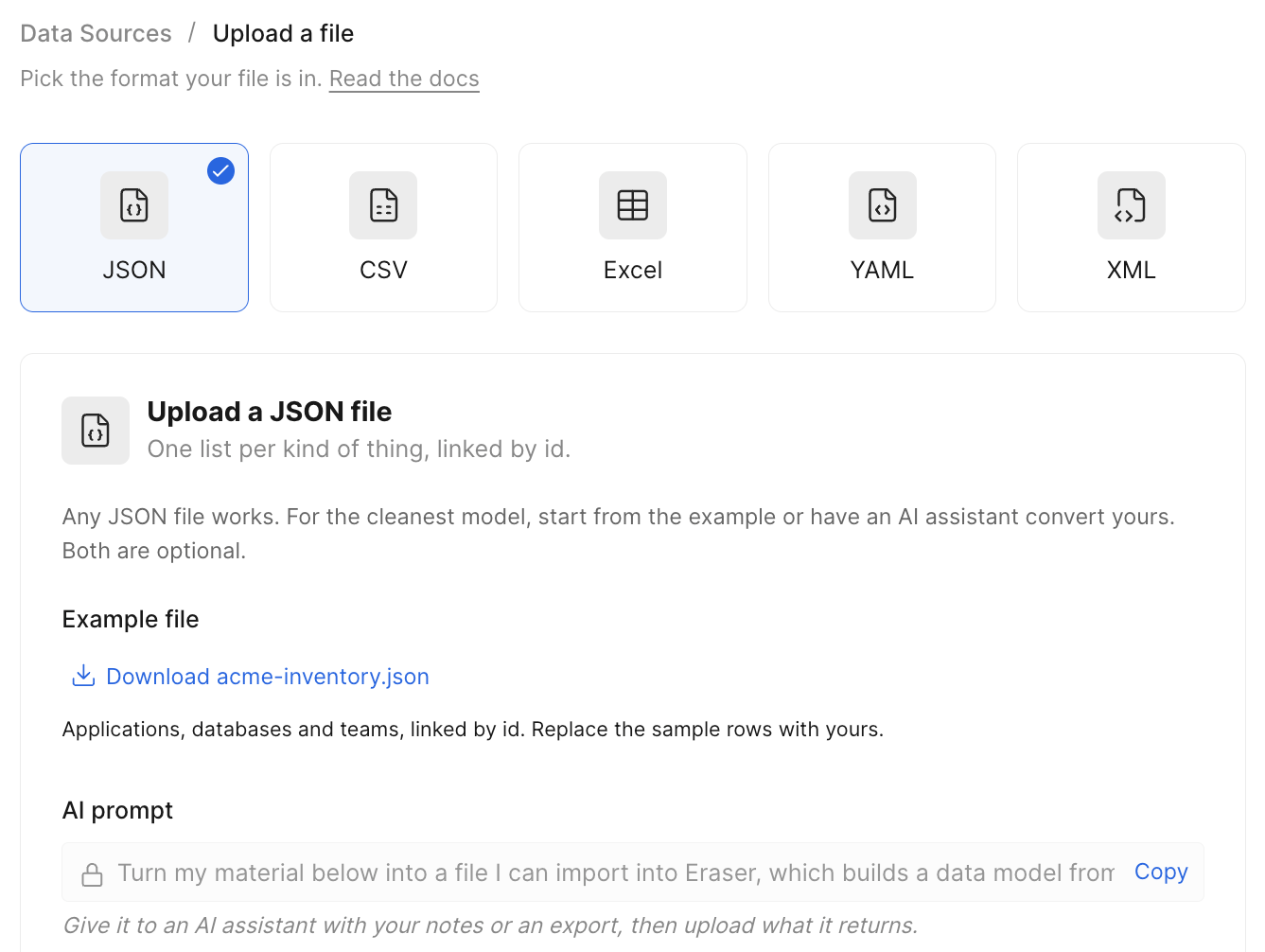
Each format has an example file to start from, and an AI prompt that turns your notes or an export into a file Eraser can read.
How a file is read
Each table or list becomes a record type, and each row or item a record. Fields that name other records – ids, foreign keys, source and target columns – become links between them. Secrets are left out.
Replacing a file
Use Replace upload on the data source, with a file in the same format, to update the model. Records keep their identity by id, and records left out of the new file are removed. A file with a record missing its id is refused, so give every record a stable id.
Only team admins can upload. A file counts as one data source toward your plan’s limit, and its model toward the record limit.