Connecting OrbusInfinity
Connect OrbusInfinity so Eraser can draw architecture diagrams from the objects and relationships in your tenant. You sign in to OrbusInfinity from Eraser, and Eraser reads with your access – it never writes to the repository.
Everything below starts from Settings → Data Sources in Eraser.
Quick overview
What Eraser gets access to
Eraser reads objects and their relationships through the OrbusInfinity API, as the user who signs in – so it sees exactly what that user can see. Use an account with read access to the objects you want to import.
The sign-in is stored encrypted and is never sent to AI.
1. Choose your tenant
Open Settings → Data Sources and pick OrbusInfinity – from the list of data sources, or from Add connection once one is connected. Enter your tenant’s API host, such as pulsequeue-api.orbusinfinity.com.
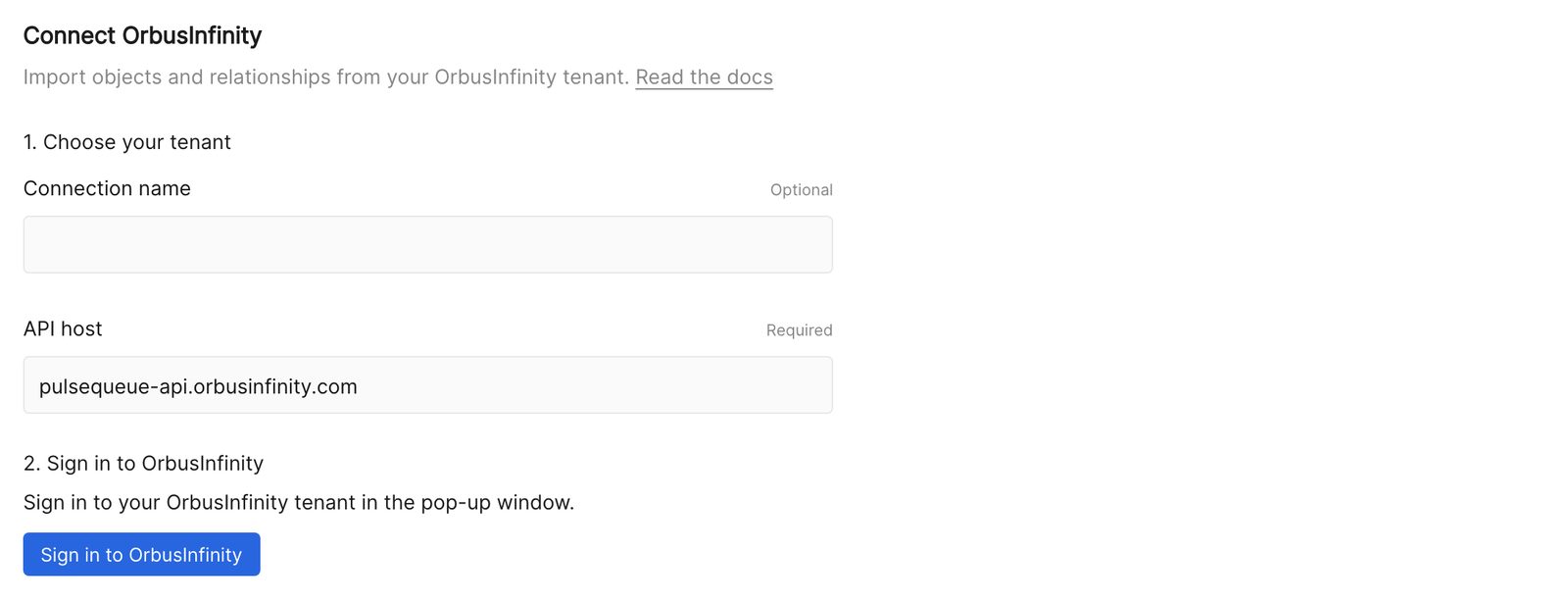
2. Sign in to OrbusInfinity
Choose Sign in to OrbusInfinity and complete the sign-in in the pop-up window. If nothing opens, allow pop-ups for Eraser and try again.
3. Connect the inventory
Eraser imports every object your account can read. To narrow it, add an Object filter – an OData filter expression, such as ModelId eq <model id>. Relationships follow the objects they connect.
Choose Verify and connect, and Eraser runs its first scan.
After connecting
Each connection appears in Settings → Data Sources, showing the tenant and when it last synced.
- Rescan reads the tenant again. There is no scheduled background scan – Eraser reads OrbusInfinity when you ask it to.
- Reconnect signs in to OrbusInfinity again, keeping the connection’s history. Use it when the sign-in expires.
- Active lets Eraser scan the tenant. Inactive stops scanning; its model keeps the last scan.
- Remove from Eraser disconnects and forgets the connection.
Anyone on the team can use the connection’s model in AI chat to generate diagrams and documents – see Cloud diagrams.
Troubleshooting
| What Eraser says | What it means |
|---|---|
| Ask your Eraser administrator to configure the OrbusInfinity OAuth client | Signing in to OrbusInfinity isn’t set up for this Eraser deployment yet. |
| Use the tenant API host ending in .orbusinfinity.com | Enter your tenant’s API host, such as pulsequeue-api.orbusinfinity.com. |
| Allow pop-ups for this site, then sign in again | The browser blocked the sign-in window. Allow pop-ups for Eraser. |
| The OrbusInfinity login expired and cannot be renewed | Choose Reconnect and sign in again. |
| This filter matches … objects, above the limit | The filter imports too much at once. Narrow it. |